Scan your Polaroids, frame and all.
A Polaroid is more than its picture. The white frame, the caption in marker, the date on the back. MyMory keeps all of it together as one memory.

$4.99 once. No subscription, no account, no watermark.
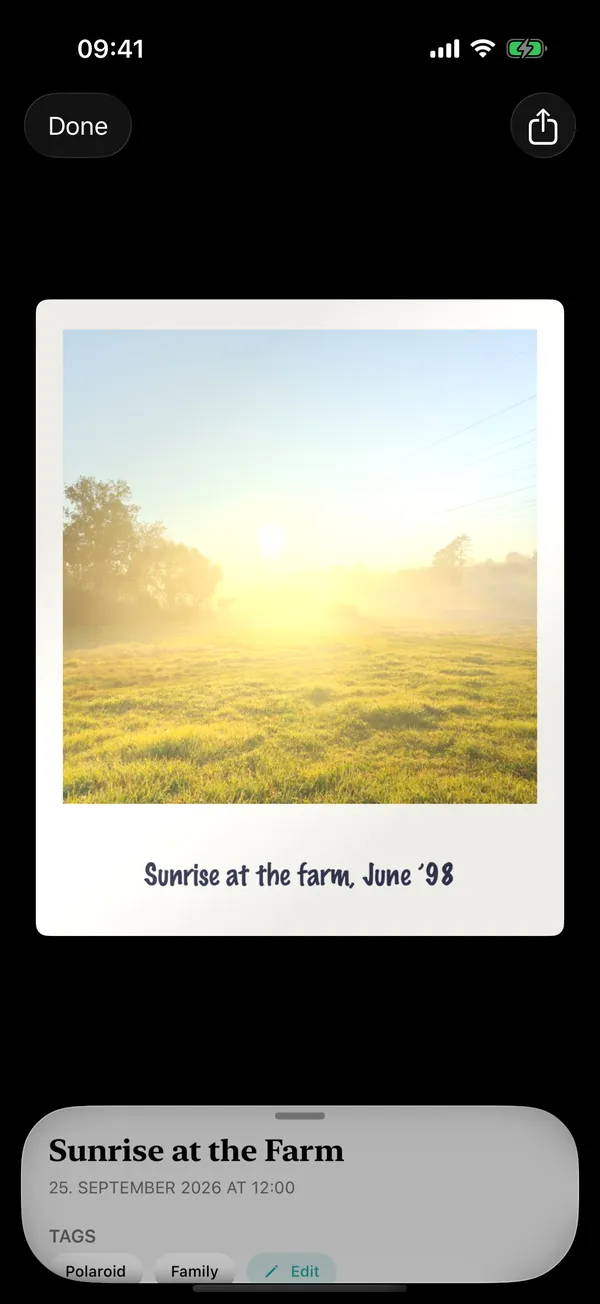
How to scan a Polaroid on iPhone
Lay it flat, in soft light
Polaroid film is glossy. Daylight from a window, not a lamp overhead, keeps reflections off the picture.
Choose Scan Paper → Polaroid
MyMory finds the edges of the frame and takes the shot itself.
Turn it over
Scan the back straight after. The date, the name, the note — kept with the front.
Find it by what's written on it
Captions are read on your iPhone, so searching "Lisbon" finds the Polaroid from Lisbon.
Why not just use the Notes scanner?
Apple Notes is a good free document scanner, and people do use it for Polaroids. But it makes PDFs, it doesn't keep the back with the front, and your Polaroids end up among grocery lists.
MyMory treats a Polaroid as a keepsake: both sides in one card you can flip, in a library of memories next to your 3D models. It also works for Instax prints.
Questions
What is the best way to digitize Polaroids?
Scan them flat in soft, indirect daylight with a scanner app that keeps the frame and the back. MyMory does both on iPhone, offline.
Does it work for Instax?
Yes. Instax Mini, Square and Wide prints work the same way as Polaroids.
How do I avoid glare on Polaroids?
Scan near a window with indirect daylight, turn off overhead lights, and tilt the print slightly if you still see a reflection.
One app for every kind of memory.
3D objects, scenes and paper, in one private library.
$4.99 once. No subscription, no account, no watermark.