Keep a corner of a place in 3D.
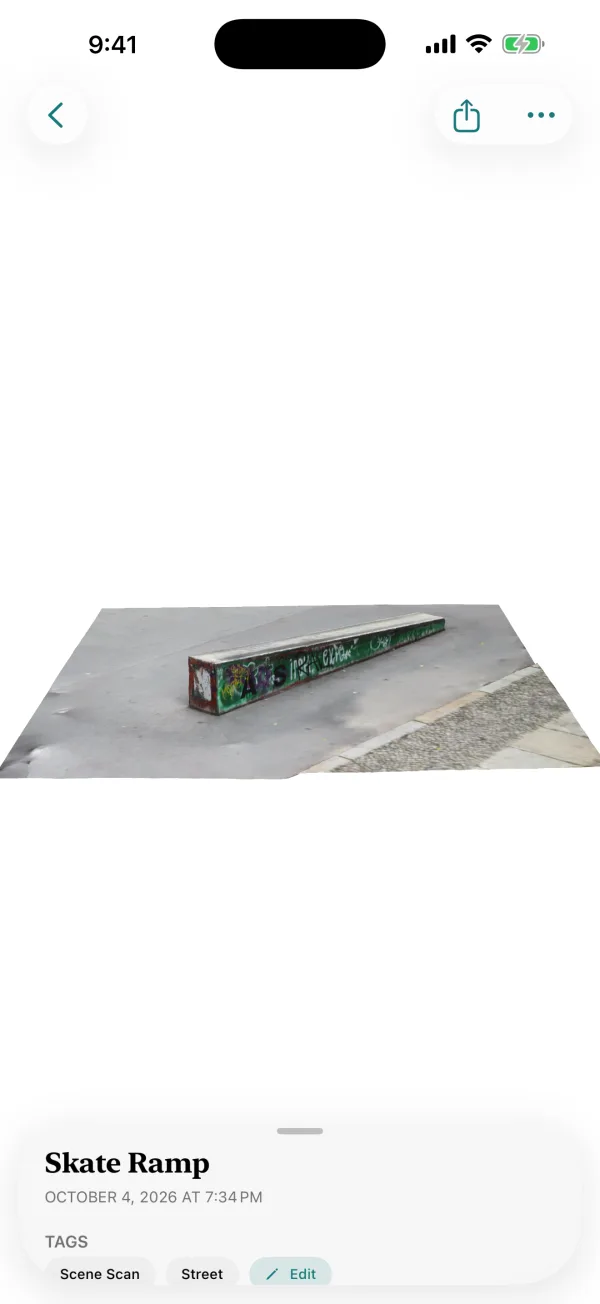
The bookshelf in your childhood room. The corner of the kitchen where everyone gathered. A tree in the garden. Scene capture keeps one part of a place, in 3D.

$4.99 once. No subscription, no account, no watermark.
How it works
Pick one part of a place
A wall, a shelf, a corner, a doorway, a tree. Indoors or out.
Sweep in rows
Stay about a meter away and move along it, in two or three rows at different heights, with the photos overlapping.
Let it build
LiDAR depth and photogrammetry come together on your iPhone into a textured 3D scene.
Walk back in
Orbit and zoom around it, or view it in AR.
Before you buy
Scene capture needs an iPhone Pro with LiDAR (iPhone 12 Pro or later Pro model) on iOS 18 or later. It captures one part of a place at a time rather than a whole building, and it's made for keeping, not measuring.
Questions
Can I scan a room in 3D with my iPhone?
MyMory's Scene capture keeps one part of a room at a time — a wall, a shelf, a corner — as a photoreal 3D model.
Does scene capture work outdoors?
Yes. Trees, garden corners, statues and building details work well in even daylight.
Is it private?
Yes. Everything is built on your iPhone. Nothing is uploaded and there's no account.
One app for every kind of memory.
3D objects, scenes and paper, in one private library.
$4.99 once. No subscription, no account, no watermark.