Scan the shoebox. Keep both sides.
Old prints, postcards with the note on the back, Polaroids with the date in marker, letters and recipes. MyMory keeps each one the way it was, and makes them searchable.

$4.99 once. No subscription, no account, no watermark.
Four kinds of paper, each handled properly
Photos
Scan a stack of prints one after another. Each becomes its own memory, straightened and cropped.
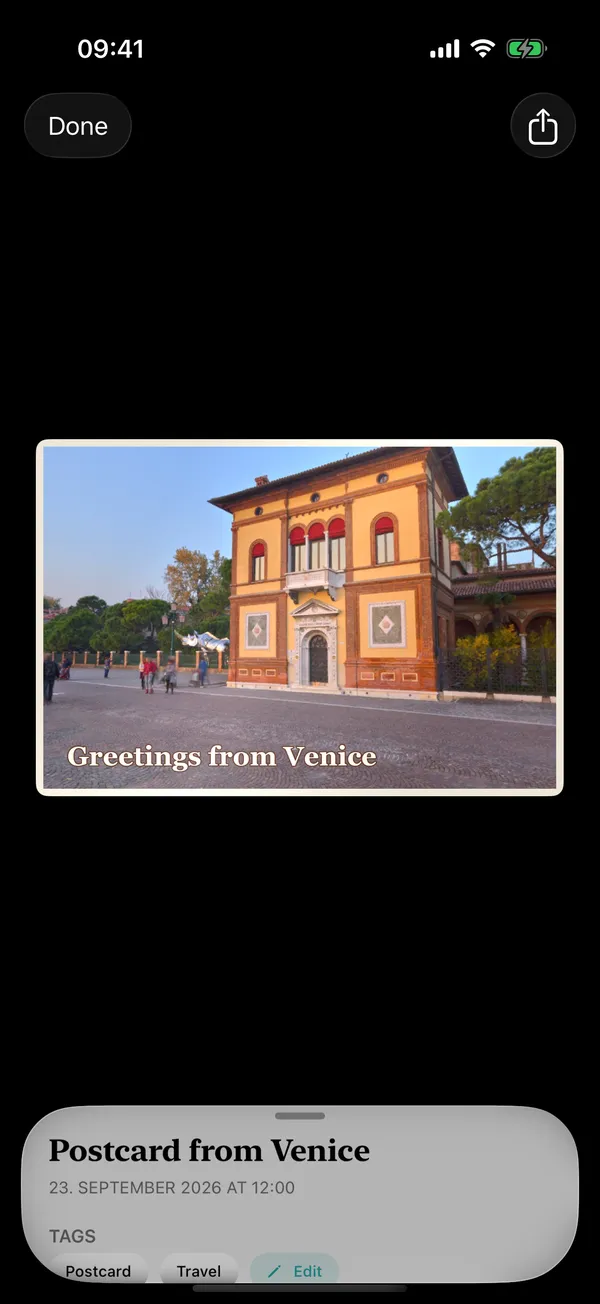
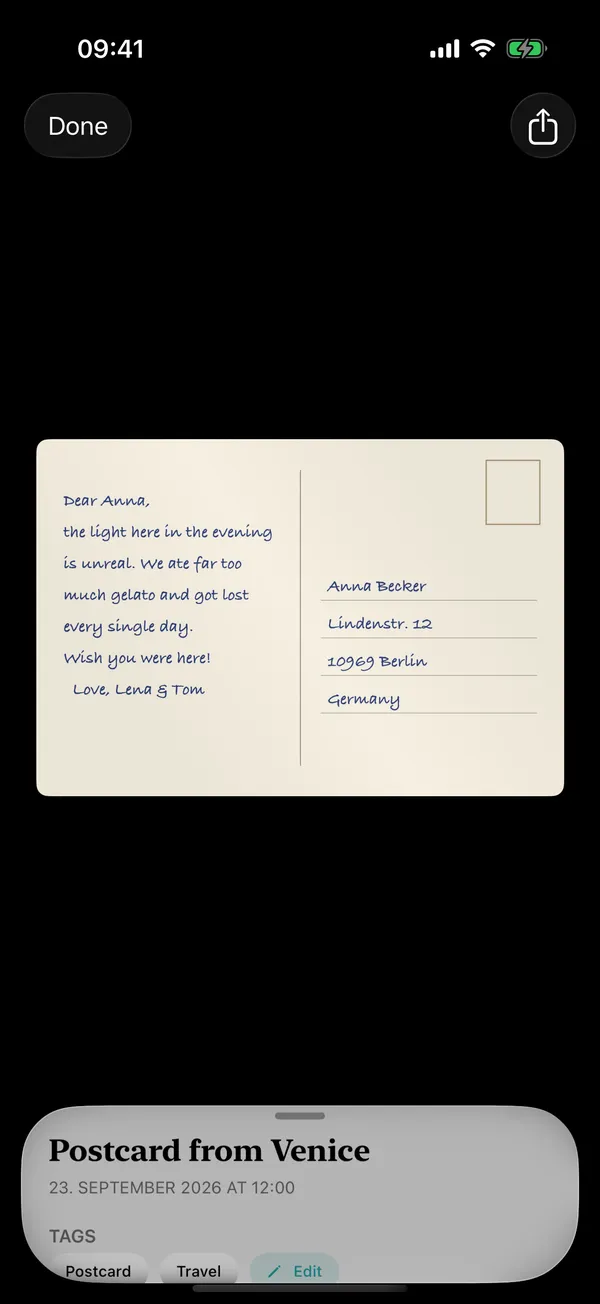
Postcards
Front and back kept together, so you can still turn it over and read what was written.
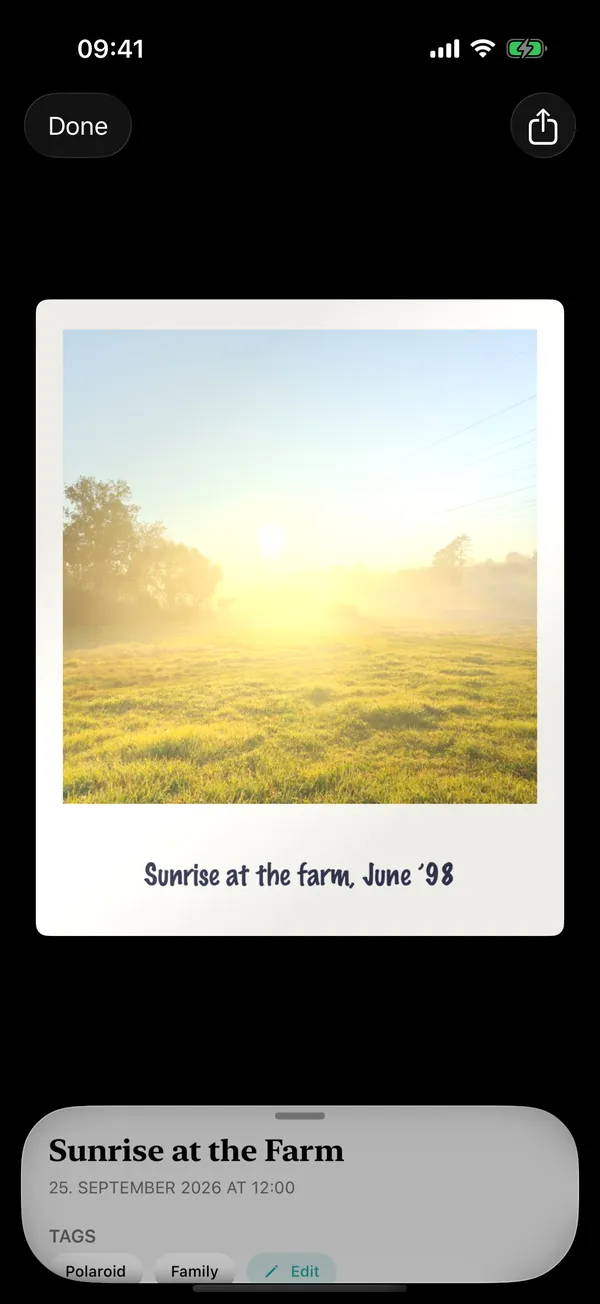
Polaroids
Frame and all, both sides — the caption on the frame and the date on the back included.
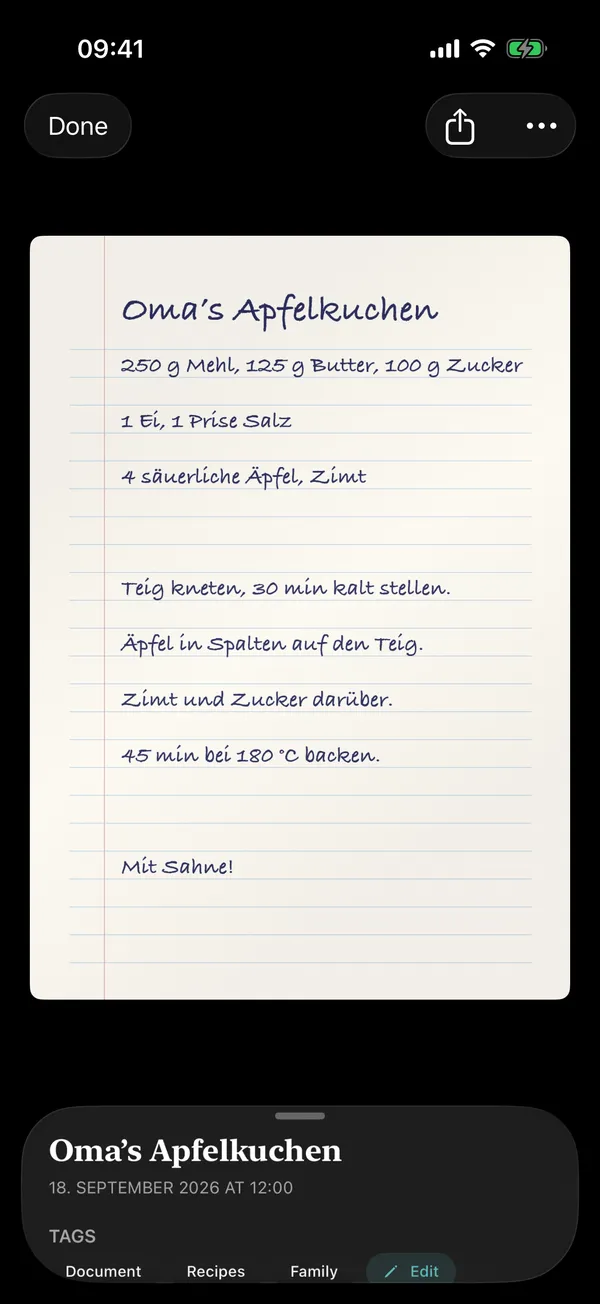
Documents
Letters, certificates, recipes. Every page, in order, as a PDF you can mark up.
Both sides, kept together
Finds itself again
Text recognition on the phone
Words on documents, captions and backs are read on-device, so you can search for "Rome 1987" and find the postcard.
Names itself
A caption in the margin or a document's heading becomes a suggested name.
Tags and notes
Add your own tags and notes to anything. Search covers them too.
Looks like paper
Each scan sits in the viewer as a card that tilts with your phone and catches the light.
How it works
Choose what you're scanning
Photo, postcard, Polaroid or document.
Hold your iPhone over it
The edges are found and the shot is taken for you. The page is flattened and squared.
Turn it over
For postcards and Polaroids, scan the back next. MyMory keeps the two sides as one.
Save
It lands in your library next to your 3D models.
Compared with the usual scanner apps
| App | Price | Where it's processed | Account | Worth knowing |
|---|---|---|---|---|
| MyMory | $4.99 once | On your iPhone | None | Photos, postcards and Polaroids keep both sides; PDFs for documents |
| Photomyne | ~$59.99/yr | Cloud backup | For membership | Free scans limited and watermarked Source |
| Adobe Scan | ~$9.99/mo (Premium) | Cloud | Adobe ID required | Free OCR capped at 25 pages per file Source |
| CamScanner | ~$49.99/yr | Cloud sync | For sync | Free exports carry a watermark, plus ads Source |
| Genius Scan | Free; Ultra $39.99/yr | On-device | No | A document tool: no photo, postcard or Polaroid handling Source |
| Google PhotoScan | Free | On-device | Optional | No iOS update since November 2022 Source |
| Apple Notes | Free | On-device | Apple ID | Makes PDFs; keeps neither backs nor frames Source |
Prices from each app's pricing page or US App Store listing, checked September 2026. They change; check the source before you buy.
Questions
How do I scan old photos with my iPhone?
Open MyMory, choose Scan Paper → Photo, and hold your iPhone over the print. MyMory finds the edges, straightens it and takes the shot. Scan the next one straight after; each print becomes its own memory.
Can I scan both sides of a postcard?
Yes. Choose Postcard, scan the front, then the back. MyMory keeps both sides together and lets you flip the card over in the viewer.
Is this a document scanner?
Yes, it handles multi-page documents and exports them as PDF, with text recognized on your iPhone. It is built first for the paper you want to keep: photos, postcards, Polaroids and letters.
Does text recognition need the internet?
No. Text is recognized on your iPhone with Apple's Vision framework.
Are there watermarks or scan limits?
No. $4.99 once, then scan as much as you like.
Can I scan several photos in one shot?
Not yet. Scan prints one after another; it's quick because the shutter fires by itself.
One app for every kind of memory.
3D objects, scenes and paper, in one private library.
$4.99 once. No subscription, no account, no watermark.