Turn the things you love into 3D.
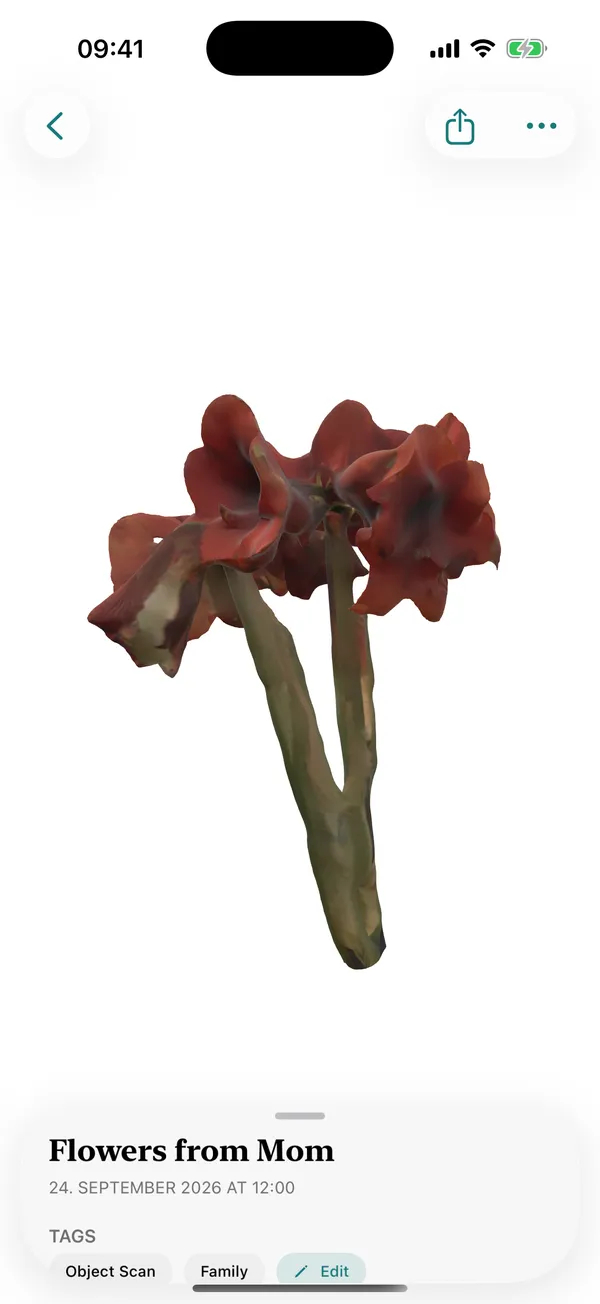
Walk around an object and MyMory builds a photoreal 3D model of it on your iPhone. Keep it, look at it in AR, and let the physical one go if you're ready.

$4.99 once. No subscription, no account, no watermark.
How it works
Put it somewhere you can walk around
A table in the middle of the room is ideal. Even light, no harsh shadows.
Orbit it
MyMory guides you round in up to three orbits at different heights, and asks you to flip it so the underside counts too.
Let it build
Photogrammetry runs on your iPhone. A few minutes later, with a live estimate while you wait.
Keep it
Turn it in your hand, place it on the table in AR, or share the USDZ file.
What you get
Photoreal
Real textures from your own photos: the scuffs, the stitching, the faded paint.
True to size
LiDAR depth keeps the model at real-world scale, so in AR it sits on the table at the size it was.
USDZ
Apple's 3D format. Opens in AR Quick Look, Files, Keynote, Reality Composer and most 3D tools.
Private
Your photos never leave the phone. Nothing is uploaded, and there's no account to make.
Crash-safe builds
Builds wait in a queue that survives the app closing, so a phone call won't cost you a model.
Your originals, if you want them
Keep the source photos next to the model, or send them to MyMory for Mac for large, intricate subjects.
Before you buy
Object capture uses Apple's Object Capture, which needs an iPhone Pro with LiDAR (iPhone 12 Pro or later Pro model) running iOS 18 or later. On other iPhones you can still use Paper.
MyMory is made for keeping things, not measuring them. It exports USDZ only.
Compared with other 3D scanner apps
| App | Price | Where it's processed | Account | Worth knowing |
|---|---|---|---|---|
| MyMory | $4.99 once | On your iPhone | None | Photoreal USDZ, no export limits, no watermark |
| Polycam | $30/mo or $150/yr (Basic) | Cloud for photo mode | Required | Free tier exports glTF only; video watermarked Source |
| Scaniverse | Free; Plus $20/mo, Pro $50/mo | On-device (classic), cloud tiers | Required | USDZ export needs Plus; commercial use needs Pro Source |
| KIRI Engine | $17.99/mo or $79.99/yr (Pro) | Cloud | Required | Free: 150 photos per scan Source |
| 3d Scanner App | From $2.99/week or $29.99/yr | On-device (LiDAR) | Not required | Was free until its 2025 sale; now paywalled with a tracking label Source |
| Qlone | $11.99–$29.99 one-time | On-device (mat), cloud (mat-free) | — | Free tier cannot export Source |
| RealityScan | Free | Cloud | Epic / Sketchfab | Models are published through Sketchfab Source |
| Luma 3D Capture | Free | Cloud | Yes | No update since January 2026 Source |
Prices from each app's pricing page or US App Store listing, checked September 2026. They change; check the source before you buy.
Questions
Can I 3D scan an object with my iPhone?
Yes, on an iPhone Pro with LiDAR. Open MyMory, choose Scan Object and walk around the object while it guides you. The 3D model is built on the phone in a few minutes.
Is there a 3D scanner app without a subscription?
MyMory is $4.99 once. No subscription, credits or export limits.
Does it upload my photos to the cloud?
No. MyMory builds the model with Apple's photogrammetry on your iPhone. The app has no network code at all.
What format are the 3D models?
USDZ, with photoreal textures. It opens in AR Quick Look and in most 3D software; many tools can convert it to other formats.
What objects scan well?
Matte, textured things you can walk around: toys, shoes, ornaments, sculptures, plants. Shiny, transparent and very thin objects are hard for any photogrammetry.
Does it work on iPhone without LiDAR?
Object and Scene capture need LiDAR. Paper scanning works on any iPhone with iOS 18.
One app for every kind of memory.
3D objects, scenes and paper, in one private library.
$4.99 once. No subscription, no account, no watermark.