Your memories, captured in 3D.

Photoreal 3D models of the things you love, corners of the places you want to remember, and every photo, postcard and Polaroid in the shoebox. Made on your iPhone. Kept on your iPhone.

Download on the App Store

$4.99 once. No subscription, no account, no watermark.

  • $4.99 once
  • No account
  • Works offline
  • iOS 18+
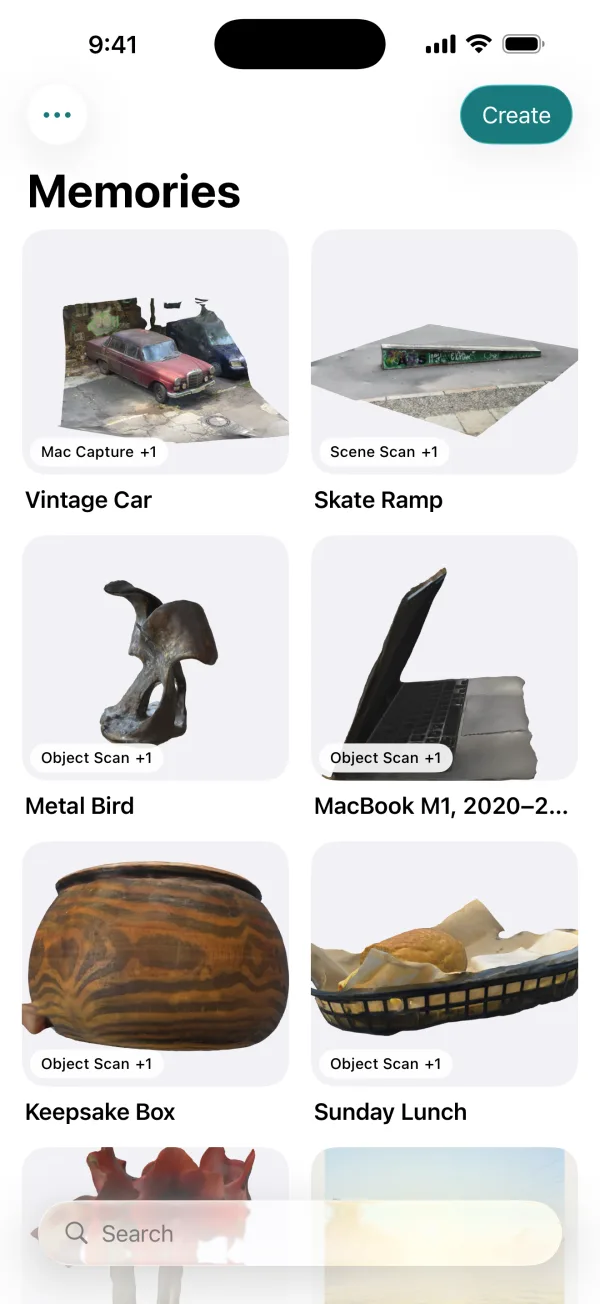
The MyMory library, titled Memories: 3D scans of a vintage car, a skate ramp, a metal bird, a MacBook, a wooden box and a lunch basket

From photos to a memory.

Walk around something with your iPhone. MyMory finds the same details in every photo, places them as points in space, then builds a surface and wraps it in the real textures. On the phone, in a few minutes.

  1. PhotosGuided orbits at a few heights, with the underside too.
  2. PointsEvery detail located in 3D, with LiDAR depth for true size.
  3. A photoreal modelA USDZ you can turn in your hand or place back in the room.
An old car where it stands, a real MyMory scan. Drag to turn, pinch to zoom.

Capture memories the way you want.

Something you can walk around, a corner of a place, or the paper in the shoebox. Pick the capture that fits, and it all lands in one library.

Paper, kept like the real thing

Old prints, postcards, Polaroids and letters. Postcards and Polaroids keep both sides together, so you can still turn them over. Documents become searchable PDFs.

  • Scan a stack of photos in one go
  • Text is recognized on-device and searchable
  • Each scan tilts in the light, like a real card
More about Paper scanning
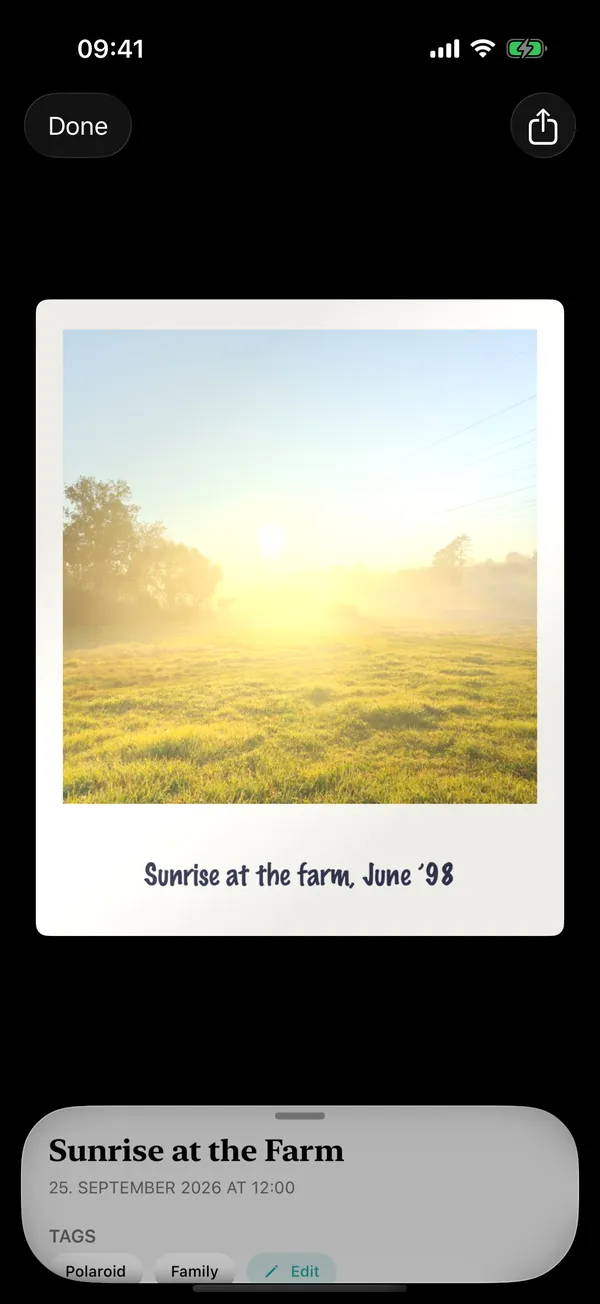
A scanned Polaroid with its handwritten caption on the frame

Objects you can walk around

The teddy bear, the trophy, the vase from your grandmother. Walk around it and MyMory builds a photoreal, true-to-size 3D model on your iPhone, ready to view in AR.

  • Guided capture with up to three orbits
  • USDZ model built on-device in minutes
  • Place it back in the room with AR
More about Object capture
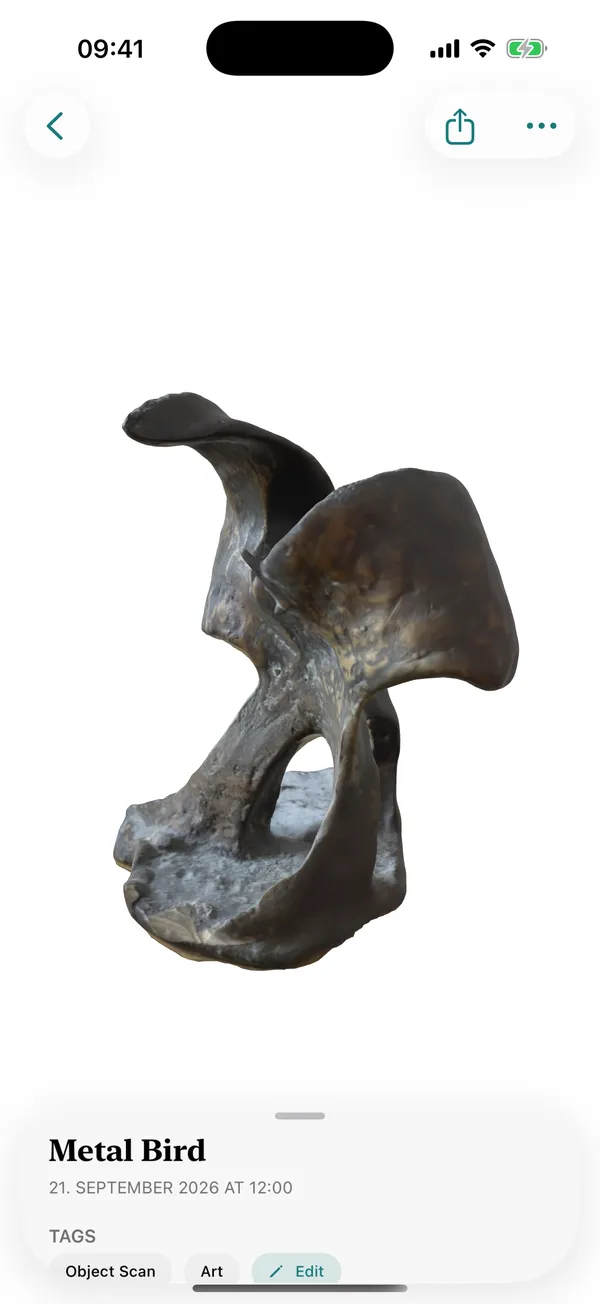
A photoreal 3D scan of a metal bird sculpture

A corner of a place

A bookshelf, a kitchen corner, a tree in the garden. Capture one part of a place in overlapping rows and keep it as a 3D scene.

  • Indoors or out
  • Photogrammetry with LiDAR depth
  • Same private, offline build
More about Scene capture
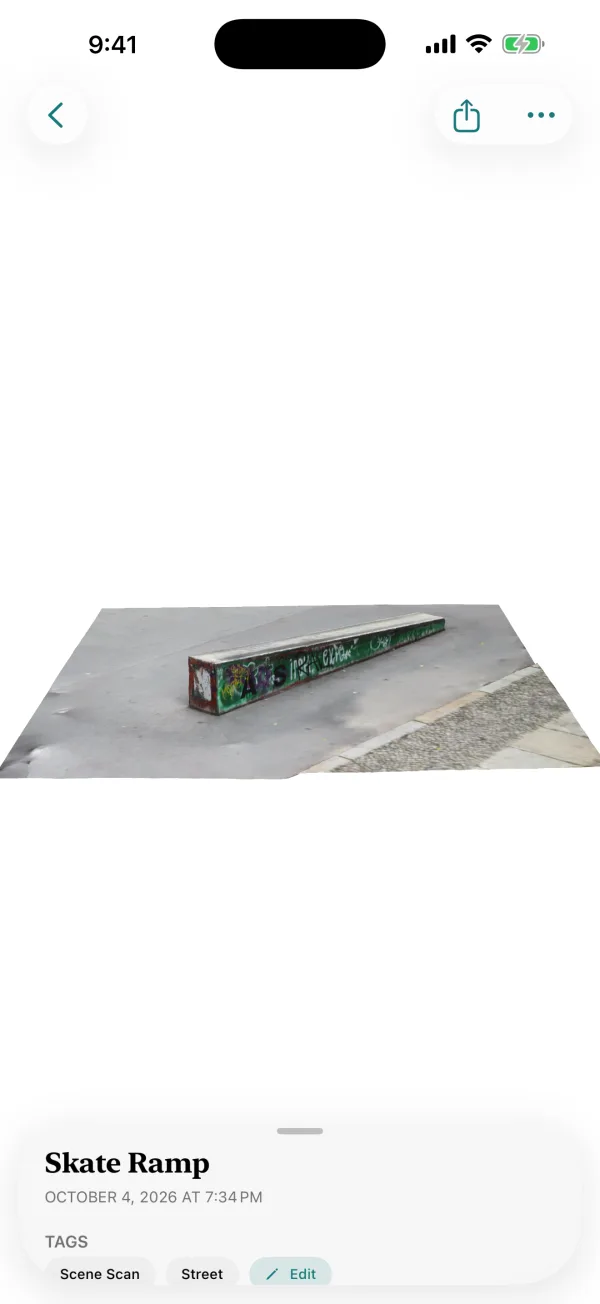
A 3D scene of a graffiti-covered skate ramp

One library for all of it.

Objects, corners of places and paper sit side by side, sorted by when you made them. Tag them, add a note, and search everything — including the words written on your scans.

  • Search by name, tag, note, or the text on a scan
  • Every file in a folder you can see in the Files app
  • Share any memory as a standard file: USDZ, PDF or image
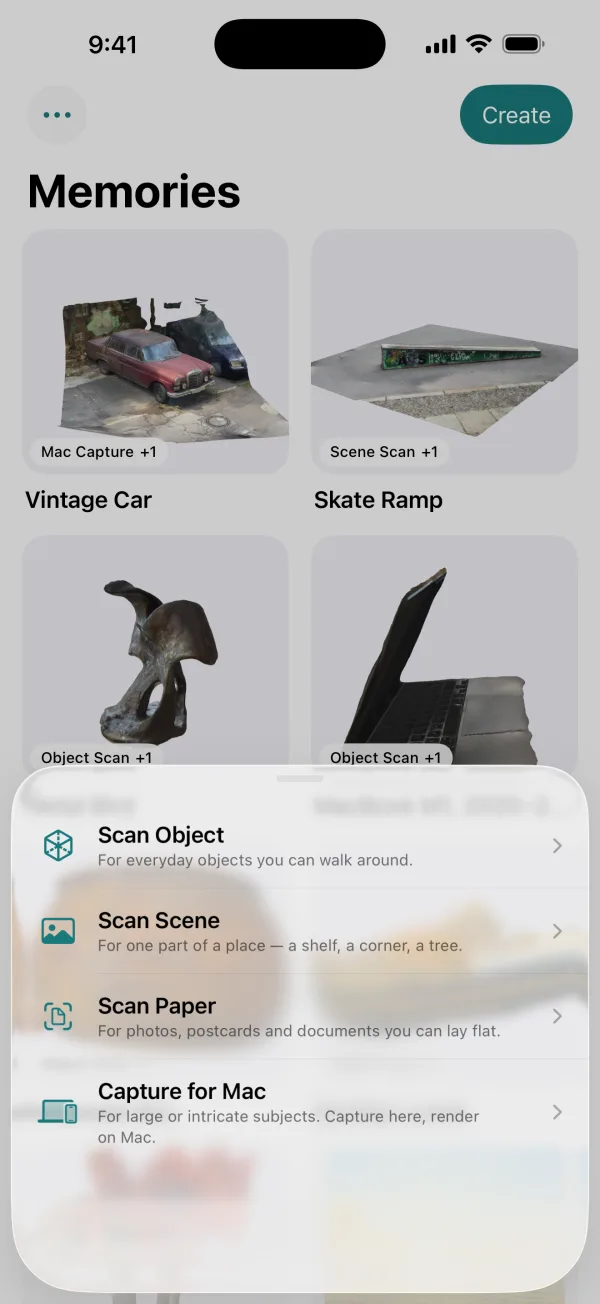
The Create sheet: Scan Object, Scan Scene, Scan Paper and Capture for Mac
Choose what you're keeping.
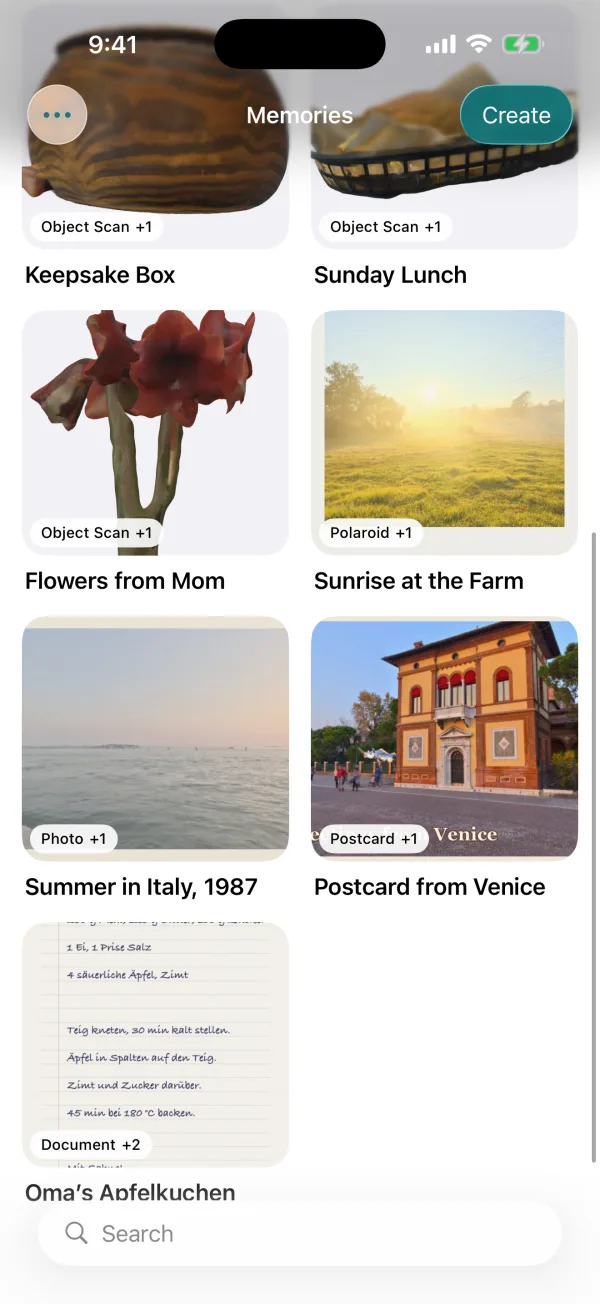
More of the library: flowers, a Polaroid, an old photo, a postcard and a handwritten recipe
Find it again later.

Nothing leaves your iPhone.

Most 3D scanning apps upload your photos to their servers to process them. MyMory does all of it on the phone in your hand.

No servers

The app has no code that talks to the internet. Not for processing, not for analytics.

No account

No sign-up, no email, no login. Nothing to leak.

Airplane mode works

Capture on a hike or abroad. Models build without a connection.

Your files, your folder

Everything lives in a folder you can open in the Files app.

$4.99once, for everything

Pay once. Keep it.

A single month of Polycam Basic costs $30. A year of Photomyne about $60. MyMory is $4.99 on the App Store, with every mode included and nothing to renew.

  • No subscription, credits or in-app purchases
  • No watermark on anything you export
  • No limit on how many memories you keep
See how MyMory compares

Questions

How much does MyMory cost?

$4.99, paid once on the App Store. There is no subscription, no in-app purchase, no credits and no watermark. Every capture mode is included.

Does MyMory work offline?

Yes. Capturing, building the 3D model and scanning paper all happen on your iPhone. The app contains no code that talks to a server, so it works in airplane mode and your captures never leave your device unless you share them.

Do I need an account?

No. There is no sign-up and no login. Open the app and start capturing.

Which iPhones does it work on?

MyMory needs iOS 18 or later. Paper scanning works on any iPhone that runs it. Object and Scene capture use Apple's Object Capture, which needs an iPhone Pro with LiDAR (iPhone 12 Pro or later Pro model).

What file formats do I get?

Objects and scenes are USDZ 3D models that open in AR Quick Look, Keynote, Reality Composer and most 3D tools. Documents export as PDF; photos, postcards and Polaroids as images, both sides kept.

Where are my files stored?

In a MyMory folder you can see in the Files app. You can point it at an iCloud Drive folder in Settings if you want iOS to sync it.

Is MyMory a measuring app?

No. It makes photoreal copies of things and places so you can keep them. For measurements, use a dedicated tool.

All questions

Keep it forever. Let it go.

Scan the things you can't keep, and make room for the life you're living.

Download on the App Store

$4.99 once. No subscription, no account, no watermark.

Download